APRationCard

  • Help
    • Ration Shops List 1
    • Ration Shops List 2
    • Ration Shops List 3
  • News
    • Media
    • Bharatgas
    • Indane Gas
    • HP Gas
    • Home
    • Elections
    • Rules
    • Passport
    • Birth Certificate
    • ATM Card
    • APSRTC
  • Aadhar Card
    • Revenue
    • epos
    • PAN Card
  • Ration Card
    • Ration Shop
    • Spandana
    • Mandal
    • District
    • Helpline
  • Contact us
You are here: Home / Archives for Aadhar Card

Link Aadhaar Card with LPG/ Bank Account/ Voter ID & Pension Account Online

June 7, 2019 by admin Leave a Comment

Link Your Aadhaar Card Online

Link Aadhar with LPG for Subsidy, Bank Account/ Voter ID Card & Pension Account Online–Aadhaar Card Linking (UID) is not a tough process. It depends to which document it is to be linked. As Aadhaar Card is a complete document of identity in India. Official UTL is uidai.gov.in

The government of India has started the linking mechanism with other government issued documents. Presently it can be inked with Voter ID Card (EPIC Card), Bank Account and LPG Gas Connection.

In future, no any benefit would be given to the citizens without the Aadhar Card. By the linking process of Aadhar Card with other documents, LPG or Bank Account, the possibilities of misuse of identity will be reduced.

The UIDAI has provided with the online and offline methods to Link Aadhar Card with various documents and government schemes.

Important Links

Aadhar Card Online

Link Aadhaar Card with LPG/ Bank Account/ Voter ID & Pension Account Online

Steps to Apply Aadhar Card – Online or Offline

List of Required Documents for Aadhar Card

Aadhar Card Print – How to Print Aadhar Card Online?

Aadhar Card Status – Steps to Check at Aadhar Status

Update Aadhar Card- Make Online Correction in Aadhar (Method)

Link Aadhaar Card

The Aadhaar Card can be linked with following at present-

  1. Voter ID Card
  2. Bank Account
  3. LPG Connection
  4. Set Top Box
  5. Pension Account
  6. Scholarship Account

In future the Aadhaar Card also may be linked with the following Documents-

  1. PAN Card
  2. Ration Card
  3. Passport
  4. Driving License
  5. Property Lease
  6. Service ID Card
  7. Armed License
  8. Narega Job Card
  9. Kissan Credit Card
  10. Marriage Certificate

We’re describing here the Aadhaar Card Link process with other identities and schemes. Click the desired link to know more about the Aadhaar Card Linking.

For any queries on above topic, please tell us through below comment session.
Filed Under: Aadhar Card Tagged With: Aadhaar Card

Steps to Apply Aadhar Card – Online or Offline

June 7, 2019 by admin Leave a Comment

Aadhar Card is a necessity for every individual today. If you have not yet registered with Aadhar, you can register for Aadhar easily. The government of India has been providing various facilities for Indian citizens to get their Aadhar in easy way.

Thus, the people wanting to Apply for Aadhar Card, can go to the Authorized Aadhar Centre to registered themselves for Aadhar. More information can be found at the official portal at eaadhaar.uidai.gov.in or at uidai.gov.in through online.

However, people can book their appointment before reaching to the Aadhar Center, so they will not have to wait and not have to stand in a row to wait for their turn. The Appointment for Aadhar can be availed through the official website of UIDAI (Unique Identification Authority of India). For using these feature you should have Internet Facility on your computer or mobile phone.

Important Links

Aadhar Card Online

Link Aadhaar Card with LPG/ Bank Account/ Voter ID & Pension Account Online

Steps to Apply Aadhar Card – Online or Offline

List of Required Documents for Aadhar Card

Aadhar Card Print – How to Print Aadhar Card Online?

Aadhar Card Status – Steps to Check at Aadhar Status

Update Aadhar Card- Make Online Correction in Aadhar (Method)

How to Apply for Aadhar Card Offline-

Applying for Aadhar Card is very easy way to process. Follow the procedure below to Apply for Aadhar Card-

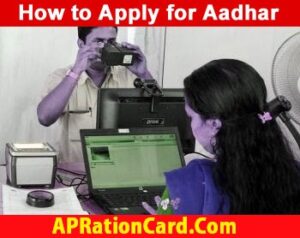
Reach your nearest Aadhar Enrollment Centre/ Registration Centre. Note that you have brought your Necessary Documents for Aadhar Card with you. You will have to show these proofs to the Aadhar officials. Keep in mind that you should have minimum one Identity Proof and one Residential Proof. The operator will take your photo with a computer connected camera and will also take your fingerprints and iris scan through the computer devices.

After this process, the operator will give you a receipt which is called Enrollment Slip. It will have your Name, Address, Current Date, Time and other necessary information printed on it. Using these details you can Download Your Aadhar Card or Check your Aadhar Card Status Online.

How to Apply for Aadhar Card Online-

However there is no any facility to directly Apply Aadhar Card Online. You can only Take Appointment for Aadhar Card Enrollment Enrollment through online mode through the website of UIDAI. The This facility is available on the selected Aadhar Enrollment Centres in India. You can follow the procedure given below to apply for your appointment.-

How-to-Apply-For-Aadhar-Card

Apply Aadhar Card

Apply for Aadhar Enrolment by Following Steps-

  1. Go to the Aadhar Enrollment Center in your area.
  2. Complete the formalities for Aadhar Enrolment.
  3. Take your Aadhar Enrolment Slip.
  4. Wait for your Aadhar Card for a few days.
  5. After the Enrolment you can check your Aadhar Card Delivery Status through the India Post Website.

For any queries on above topic, please tell us through below comment session.

Filed Under: Aadhar Card Tagged With: Aadhar Card

List of Required Documents for Aadhar Card

June 7, 2019 by admin Leave a Comment

Aadhar Card is a unique identification of a citizen in India. Every person must get it from government to get benefit from various government schemes. If you want to Get Aadhar Card or  want any mistake correction in your already received Aadhar Card, or want to update your Name, Gender (male/ Female), Date of Bith or Mobile Number, you will have to submit Aadhar Data Update/ Correction Form to UIDAI. With this form you must submit any of following Documents for proof of Address (POA), Proof of Identity (POI), DOB and POR documents for Aadhar card correction given as below

Important Links

Aadhar Card Online

Link Aadhaar Card with LPG/ Bank Account/ Voter ID & Pension Account Online

Steps to Apply Aadhar Card – Online or Offline

List of Required Documents for Aadhar Card

Aadhar Card Print – How to Print Aadhar Card Online?

Aadhar Card Status – Steps to Check at Aadhar Status

Update Aadhar Card- Make Online Correction in Aadhar (Method)

For Proof of Identity (POI) Documents

 Passport  PAN Card  Ration/ PDS Photo Card
 Voter ID  Driving License  NREGS Job Card
 Arms License  Photo Bank ATM Card  Photo Credit Card
Pensioner Photo Card Freedom Fighter Card Kissan Photo Passbook
CGHS / ECHS Photo Card Marriage Certificate Gazette Notification
OR Government issued any Photo ID CardService Photo ID card issued by PSU

Photo ID Card issued by any Recognized Educational Institution

Address Card with Name & Photo issued by Department of Posts

Identify Certificate with photo issued by Gazetted Officer/Tehsildar on letterhead

Disability ID Card/ Handicapped Medical Certificate issued by the respective State/UT Governments/ Administrations

Proof of Marriage Document(s) issued by the Registrar

Legal Name Change Certificate.

For Poof of Address (POA) Documents

Passport Driving License Bank Statement
Voter ID Ration Card Bank Passbook
Electricity Bill* Water Bill* Telephone Land Line Bill*
Property Tax Receipt* Credit Card Statement* Gas Connection Bill*
Insurance Policy NREGS Job Card Arms License
Pensioner Card Freedom Fighter Card Kissan Passbook
CGHS / ECHS Card Post Office A/c Statement Post Office A/c Statement
Passport of Spouse Passport of Parents** Vehicle RC
OR Income Tax Assessment Order Registered Sale / Lease / Rent Agreement

Government Photo ID Card

Service Photo ID Card issued by PSU

Signed Letter with Photo from Bank on Letterhead.

Signed Letter having Photo issued by registered Company on letterhead

Signed Letter having Photo issued by Recognized Educational Instruction on letterhead

Certificate of Address having photo issued by MP or MLA or Gazetted Officer or Tehsildar on Letterhead

Certificate of Address issued by Village Panchayat Head/ Sarpanch or its equivalent authority (for rural areas).

Address Card having Photo issued by Department of Posts

Caste and Domicile Certificate having Photo issued by State Govt.

Disability ID Card/handicapped medical certificate issued by the respective State/UT.

* Not older than 3 (three) months., ** In case of minor.

POR Documents

  1. PDS Card
  2. MNREGA Job Card
  3. CGHS/State Government/ECHS/ESIC Medical card
  4. Pension Card
  5. Army Canteen Card
  6. Passport
  7. Birth Certificate issued by Registrar of Birth, Municipal Corporation and other notified local government bodies like Taluk, Tehsil etc.
  8. Any other Central/State government issued family entitlement document

Proof of Date of Birth Documents

  1. Birth Certificate
  2. SSLC Book/Certificate
  3. Passport
  4. Certificate of Date of Birth issued by Gazetted Officer on Letterhead

The scan copies of these documents should be sent by post or can be uploaded on the UIDAI website while making Update/ Change/ Correction request.

After sending the documents with form, the Status of Aadhar Card Update can be checked after a few days on UIDAI website. When the Aadhar Data is updated in database, you can Download your Aadhar Card through online mode.

For any queries on above topic, please tell us through below comment session.

Filed Under: Aadhar Card Tagged With: Aadhar Card

Aadhar Card Print – How to Print Aadhar Card Online?

June 7, 2019 by admin Leave a Comment

Aadhar Card Print– You can take Aadhar Card Print Online using a printer easily. First of all you will need to Download your Aadhar Card from the UIDAI website. After taking your Aadhar in PDF, you can print this card using any printing device from the UIDAI portal eaadhaar.uidai.gov.in.

Once you have Download Your Aadhar Card, using the Aadhar Enrollment ID or Aadhar Number, the PDF file will be generated in your computer. This file will have one password. You can open this PDF file by entering your 6 digit area pin code in password field.

Important Links

Aadhar Card Online

Link Aadhaar Card with LPG/ Bank Account/ Voter ID & Pension Account Online

Steps to Apply Aadhar Card – Online or Offline

List of Required Documents for Aadhar Card

Aadhar Card Print – How to Print Aadhar Card Online?

Aadhar Card Status – Steps to Check at Aadhar Status

Update Aadhar Card- Make Online Correction in Aadhar (Method)

Taking Aadhar Card Print

When the Aadhar file is opened, you will see there 2 different sections. E-Aadhar Letter and Aadhar Card. After printing the file, you can cut the Aadhar section and Aadhar Card separately.

Use of Aadhar Card Print

Aadhar Card is the necessary document today in India. So, every individual whether he/ she is a citizen o not, must have his/ her Aadhar Card. The process of getting Aadhar Card is very easy.

You only have to go to any Aadhar Centre and submit your documents and give you fingerprints and iris scan. This way you can get your Aadhar Card by post. In case you need it urgently, can take Printout of you Aadhar Card.

The government has provided the facility to Print Aadhar Card though online mode. The website for Aadhar Card Print is uidai.gov.in. Using this web portal, you can Print your Aadhar Card easily and can get your aadhar through online mode..

Requirements for Aadhar Card Print

If you are having Computer/ Laptop and a Printer, you can take printout your E-Aadhar Letter. After Downloading the e-Aadhar, you will open it. It is necessary you are having Acrobat Reader in your computer to open the file.

If you do not have this software, download it from internet. When your Aadhar file has opened, you can give the print command to Print Aadhar Card.

For any queries on above topic, please tell us through below comment session.

Filed Under: Aadhar Card Tagged With: Aadhar Card

Aadhar Card Status – Steps to Check at Aadhar Status

June 7, 2019 by admin Leave a Comment

You can Check Your Aadhar Card Status at the official website of UIDAi i.e. resident.uidai.net.in. When you visit the official page, you will have to enter some necessary details on given page. The steps to Check Aadhar Card Status are given below

Important Links

Aadhar Card Online

Link Aadhaar Card with LPG/ Bank Account/ Voter ID & Pension Account Online

Steps to Apply Aadhar Card – Online or Offline

List of Required Documents for Aadhar Card

Aadhar Card Print – How to Print Aadhar Card Online?

Aadhar Card Status – Steps to Check at Aadhar Status

Update Aadhar Card- Make Online Correction in Aadhar (Method)

Aadhar Card Status at UIDAI’s Website-

Checking Aadhar Card Status Online– The government of India has launched online portal for checking the Status of Aadhar Card Online. Through the same website you can know the status of your Aadhar by following simple steps. On this page we’ll be describing the steps to check aadhar status.

How to Check Aadhar Card Status?

People wanting to check their Aadhar Card Status may go through the UIADI website, though Phone Call or SMS to track the your Aadhar Status or at eaadhaar.uidai.gov.in or resident.uidai.net.in.

You can Check your Status of Aadhar Card both through the internet and using the phone or SMS. For checking your Aadhar Status through UIDAI’s site, you need Aadhar Enrollment Number and Date Time of your Aadhar Enrollment.

This number is given to you in a slip on the time of your registration for Aadhar Card in Aadhar Centre.

The Aadhar Status can be checked both through Entering your Enrollment Number and by entering UID Number in case of lost or correction in aadhar card.

» Steps to Check Aadhar Card Status –

  1. First, simply go through the website of UIDAI or go through the URL- https://resident.uidai.gov.in/check-aadhaar-status
  2. You will see Enrollment ID box on this page, Enter your ID in this box.
  3. In the next text box, enter the Date & Time of enrollment; the same is printed on your enrollment slip. This number is the random unique number generated by the UIDAI systems.
  4. In the 3rd box Enter the captcha image showing above the box.
  5. Now, click on “Check Status” button to see your status on the same page.

This way your Status of Aadhar Card will be shown on screen. The message will show your complete details of Aadhar Status whether is is under processing or has been dispatched to your Home Address.

For any queries on above topic, please tell us through below comment session.

Filed Under: Aadhar Card Tagged With: Aadhar Card

  • « Previous Page
  • 1
  • …
  • 9
  • 10
  • 11
  • 12
  • 13
  • Next Page »

Search List 1

Search List 2

Search List 3

How to Search Ration Card Number by Name

District Wise Ration Card Search

 Anantapur

Chittoor

East Godavari

Guntur

Kadapa

Krishna

Kurnool

Nellore

Prakasam

Srikakulam

Visakhapatnam

Vizianagaram

West Godavari

Recent Posts

  • APRationCard Smart Card Download
  • AP Smart Ration Card Now Available
  • What is the Process for member addition in Ration Card in Andhra Pradesh state ?
  • How to check AP Employee’s / Pensioner’s Salary / Pension Bill Status Online
  • How to Check Ration Card Status Online

Recent Comments

  • BUTCHI BABU on Guntur (District’s) Ration Shop Dealer Address | Phone Number | Status Check Online | FPS
  • A Lakshmi kanth on Circle Ii Urban (Mandal), Visakhapatnam (District) – Ration Card Search | Print Online Download
  • Sreerama Mary Aruna kumari on STO, Kamalapuram
  • Nagamalli on Visakhapatnam District’s Ration Card Download Online | YAP | TAP | WAP | RAP | JAP | White Card
  • M ESWARI on Makavarapalem (Mandal), Visakhapatnam (District) – Ration Card Search | Print Online Download
  • M ESWARI on Makavarapalem (Mandal), Visakhapatnam (District) – Ration Card Search | Print Online Download
  • Yogesh Kumar on PALWAL – Dist. BHARAT GAS AGENCIES Contact Details | Address | Online Booking
  • Devaraj on KOPPAL – Dist. BHARAT GAS AGENCIES Contact Details | Address | Online Booking
  • V.MAHABOOB BASHA on Rice Card Services in Mana Mitra (WhatsApp Governance).
  • Anand on Circle Iii Urban (Mandal), Visakhapatnam (District) – Ration Card Search | Print Online Download

Pages

  • About US
  • Apply for New Ration Card Andhra Pradesh | Download Ration Card Online | Status Check
  • Buy Adspace
  • Contact us
  • Hide Ads for Premium Members
  • Privacy Policy

Copyright © 2021 · eleven40 Pro Theme on Genesis Framework · WordPress .